


![[Hermes Agent] 24시간 스스로 일하고 진화하는 진짜 AI 비서 '헤르메스 에이전트'의 모든 것](https://i.ytimg.com/vi/ZD22V6MX8UU/maxresdefault.jpg)
![[Hermes Agent] 24시간 스스로 학습하고 알아서 일하는 나만의 AI 비서, '헤르메스 에이전트' 완벽 구축 가이드](https://i.ytimg.com/vi/GsMB3SHHlzI/maxresdefault.jpg)
![[OpenClaw] 나만의 AI 지휘통제실 만들기: 24시간 나를 위해 일하는 AI 에이전트 | 오픈클로로 만드는 자율형 AI 지휘통제실](https://i.ytimg.com/vi/FMFDnJ-bZ90/maxresdefault.jpg)








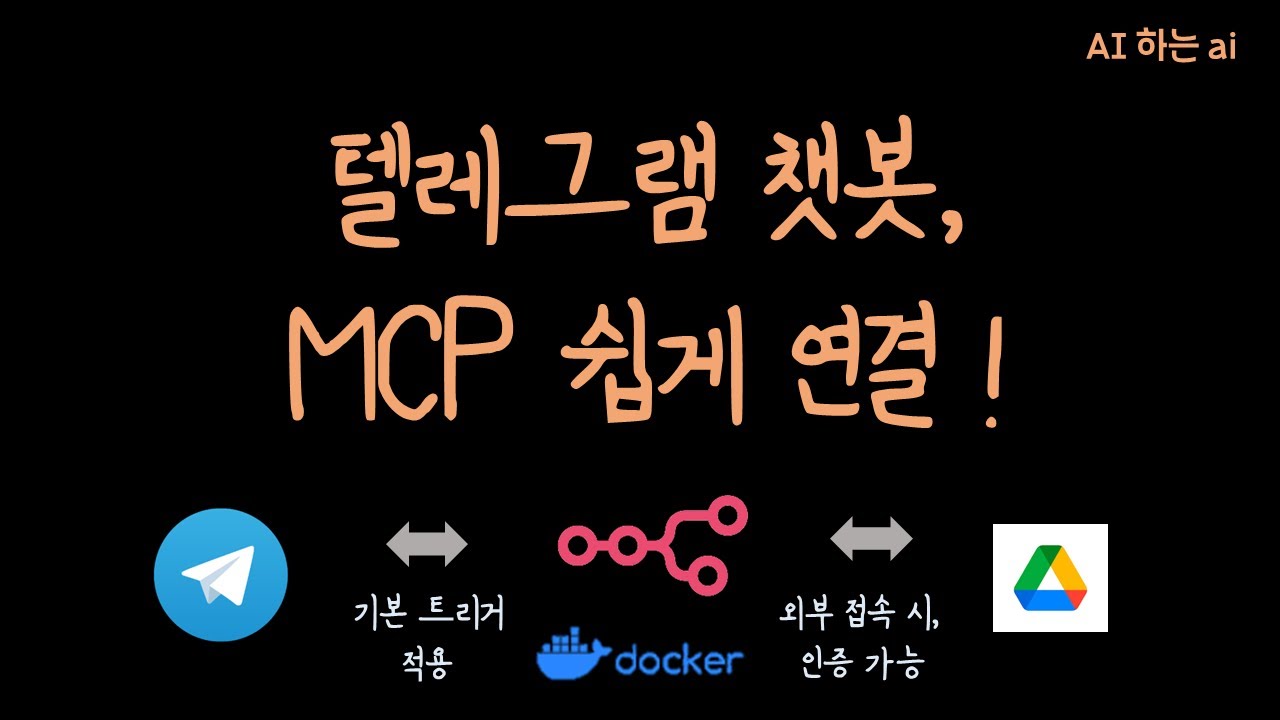


✨ 당신의 구글 시트, 이제 N8N 텔레그램 봇이 24시간 철통 보안합니다! ?

퇴사자나 발령자의 구글 시트 접근 권한, 아직도 수동으로 관리하시나요? 😱 번거로움은 물론, 자칫하면 기업 정보 유출로 이어질 수 있는 위험한 습관입니다!
이제 'AI하는 아이'가 N8N과 텔레그램 봇을 활용해 **구글 시트 권한 관리를 완벽하게 자동화하는 방법**을 알려드립니다. 주 1회 자동 보고부터 텔레그램 명령 한 줄로 추가/삭제까지! 더 이상 시간 낭비와 보안 걱정은 NO! 🚀
### 💡 이 영상을 통해 얻어가실 핵심 가치:
* **보안 강화:** 퇴사자/발령자의 접근 권한을 자동으로 파악하고 즉시 차단하여 정보 유출 위험을 제로로!
* **업무 효율 극대화:** 반복적인 수동 작업에서 벗어나 핵심 업무에 집중할 시간 확보!
* **간편한 관리:** 텔레그램 챗봇으로 언제 어디서든 스마트하게 권한 관리!
* **실수 없는 처리:** 휴먼 에러 없이 정확하고 깔끔하게 권한을 부여하고 회수!
지금 바로, 업무의 품격을 높이는 구글 시트 자동화의 세계로 초대합니다! 💼✨
- download workflow : https://discord.com/channels/1....080419664120791040/1
## ✨ Your Google Sheets, Secured 24/7 by an N8N Telegram Bot! 🔒
Are you still manually managing Google Sheet access for departed or transferred employees? 😱 This isn't just cumbersome; it's a risky habit that could lead to corporate data leaks!
Now, 'AI하는 아이' (AI Guy) shows you how to **fully automate Google Sheet permission management** using N8N and a Telegram bot. From weekly automated reports to adding/removing permissions with a single Telegram command! No more wasted time or security worries! 🚀
### 💡 Key Values You'll Gain from This Video:
* **Enhanced Security:** Automatically identify and revoke access for departed/transferred employees, bringing your data leak risk to zero!
* **Maximized Work Efficiency:** Break free from repetitive manual tasks and free up time to focus on core business.
* **Effortless Management:** Smartly manage permissions anytime, anywhere, with a Telegram chatbot!
* **Error-Free Processing:** Grant and revoke permissions accurately and cleanly, without human error!
Step into the world of Google Sheet automation that elevates your work quality! 💼✨
---
### 🎬 Highlight Timestamps
* **0:00:00 - 0:00:40** | The Problem with Google Sheet Permission Management: Why Automate?
* Manual management is inefficient and can become a security loophole when employees depart or transfer.
* **0:00:40 - 0:01:14** | Live Demo 1: Instantly Check Google Sheet Permissions via Telegram Bot!
* The Telegram bot immediately shows the shared access list for the 'Working AI Landing' sheet.
* **0:01:14 - 0:01:55** | Live Demo 2: Add/Grant Google Sheet Permissions via Telegram Command!
* Easily grant access with a single command: "add [name] [email]", then verify.
* **0:01:55 - 0:02:19** | Live Demo 3: Remove/Exclude Google Sheet Permissions via Telegram Command!
* Cleanly remove unnecessary permissions with a "delete [name]" command.
* **0:02:19 - 0:03:08** | Workflow Breakdown 1: Setting Up Weekly Automated Permission Reports (Google Drive API)
* Explanation of using N8N's time schedule trigger and Google Drive API to find the file ID and retrieve access permissions.
* **0:03:08 - 0:04:14** | Workflow Breakdown 2: Setting Up Google OAuth 2.0 API (Drive & People/Contacts API)
* Detailed guidance on enabling Google Drive and Contacts APIs, and configuring Client ID and Secret.
* **0:04:14 - 0:05:47** | Workflow Breakdown 3: Registering and Utilizing N8N Credentials
* Follow along the process of setting up credentials within N8N for API integration.
* **0:05:47 - 0:07:15** | Workflow Breakdown 4: Permission Information Extraction and Contact Name Matching Logic
* Explanation of the precise process of extracting email information from the sheet and matching it with Google Contacts to retrieve names.
* **0:07:15 - 0:08:14** | Workflow Breakdown 5: Customizing Telegram Notification Messages
* Tips for refining the content of messages sent to Telegram for better readability.
* **0:08:14 - 0:10:03** | Workflow Breakdown 6: Telegram Command-Based Permission Management (Add/Delete)
* Explanation of how the Telegram bot recognizes 'add'/'delete' commands, parses the information, and sends it to the next node.
* **0:10:03 - 0:10:59** | Workflow Breakdown 7: Contact Verification and Google Sheet Permission Application Logic
* Explanation of the final logic for granting/excluding sheet permissions, either creating a new account if not in contacts or proceeding directly.
* **0:10:59 - 0:11:32** | Conclusion: The Importance of Automation and Practical Tips
* Automation handles repetitive tasks to boost efficiency, and it's crucial to build simple and efficient systems first.
#N8N #구글시트 #업무자동화 #텔레그램봇 #권한관리 #정보보안 #퇴사자관리 #노코드 #GoogleSheets #TelegramBot #Automation #Workflow #Nocode #GoogleDriveAPI #PeopleAPI #ContactsAPI #Efficiency #SmartWork

